Code always MUST be covered with appropriate tests. Current implementation uses Mocha and configuration under .mocharc.json
To run all available tests defined under ./test/ use:
Running tests can be separated by thier type: unit , integration , e2e by running:
Copy npm run test:unit
npm run test:integration
On top of that tests can run in watch mode(--watch):
Copy npm run test:watch
npm run test:unit:watch
npm run test:integration:watch
Keep in mind that having additional tsconfig.json file under ./test/tsconfig.json is necessary:
Copy {
"extends" : "../tsconfig.json" ,
"compilerOptions" : {
"module" : "commonjs" ,
"emitDecoratorMetadata" : true ,
"experimentalDecorators" : true
}
}
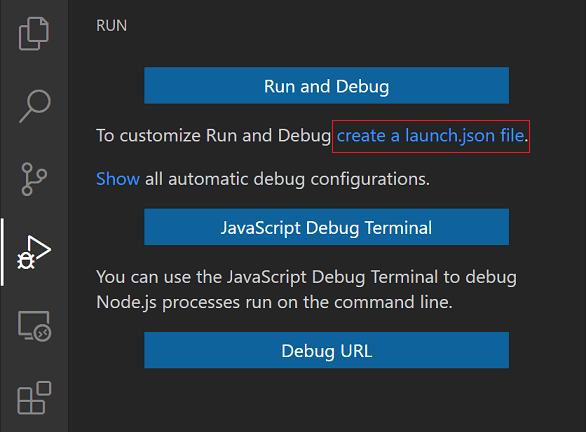
# Additional changes to launch.json Visual Studio Code launch configurationsttypescript compiler:
--watch mode:# Copy {
"configurations" : [
{
"type" : "node" ,
"request" : "launch" ,
"name" : "mocha:current" ,
"program" : "${workspaceRoot}/node_modules/.bin/mocha" ,
"args" : [
"--config" ,
"./.mocharc.json" ,
"--s" ,
"0" ,
"--timeout" ,
"999999" ,
"--watch" ,
"--watch-extensions" ,
"ts" ,
"${file}"
] ,
"console" : "integratedTerminal" ,
"internalConsoleOptions" : "neverOpen" ,
"runtimeArgs" : [ "--nolazy" ] ,
"sourceMaps" : true ,
"smartStep" : true ,
"env" : {
"NODE_ENV" : "test" ,
"TS_NODE_PROJECT" : "./test/tsconfig.json" ,
"TS_NODE_COMPILER" : "ttypescript"
}
}
]
}
--watch mode:# Copy {
"configurations" : [
{
"type" : "node" ,
"request" : "launch" ,
"name" : "mocha:all" ,
"program" : "${workspaceRoot}/node_modules/.bin/mocha" ,
"args" : [
"--require" ,
"ts-node/register" ,
"--config" ,
"./.mocharc.json" ,
"--timeout" ,
"999999" ,
"--watch" ,
"--watch-extensions" ,
"ts"
] ,
"console" : "integratedTerminal" ,
"internalConsoleOptions" : "neverOpen" ,
"runtimeArgs" : [ "--nolazy" ] ,
"sourceMaps" : true ,
"smartStep" : true ,
"env" : {
"NODE_ENV" : "test" ,
"TS_NODE_PROJECT" : "./test/tsconfig.json" ,
"TS_NODE_COMPILER" : "ttypescript"
}
}
]
}
# Testing for code coverage is possible with use of istanbuljs/nyc that will enforce coverage thresholds - i.e. if thresholds are not met, execution will fail with error:
Copy error Command failed with exit code 1
Settings are stored under .nycrc.json file and can be adjusted depending on projects specification.
To run test of coverage use:
To generate basic report that can be consumed by browser use:
And additional reports for ci or browser can be generated by use of:
Copy npm run coverage:ci
npm run coverage:report
 :
: